AQERO CONTROL ECOSYSTEM

Precise control.
A clean system.
Always reliable

Web Macro manages your profiles while MAKCU executes commands directly. Every preset is stored in your account and stays ready after sign-in.

Web Macro available now Software and hardware sold separately
AQERO / WEB MACRO
ONLINE
ACTIVE PROFILE · 01 Assault Rifle AK
SIGHTHOLO
ATTACHMENTLASER
X / Y1.00 / 0.94
USB HARDWARE MAKCU

Direct panel connection

READY
TWO PRODUCTS · ONE ECOSYSTEM

Buy only what you actually need

Web Macro and MAKCU work as one setup. Already have the device? Choose panel access. Need one? Submit a separate MAKCU request.

01 · SOFTWAREAvailable now

Web Macro

A browser panel with precise profiles, attachment settings, button binds, and synchronization across computers.

  • Every weapon, sight, and attachment
  • Real-time preset autosave
  • Updates included with access
Choose access term
02 · HARDWARESeparate purchase
MAKCU

MAKCU

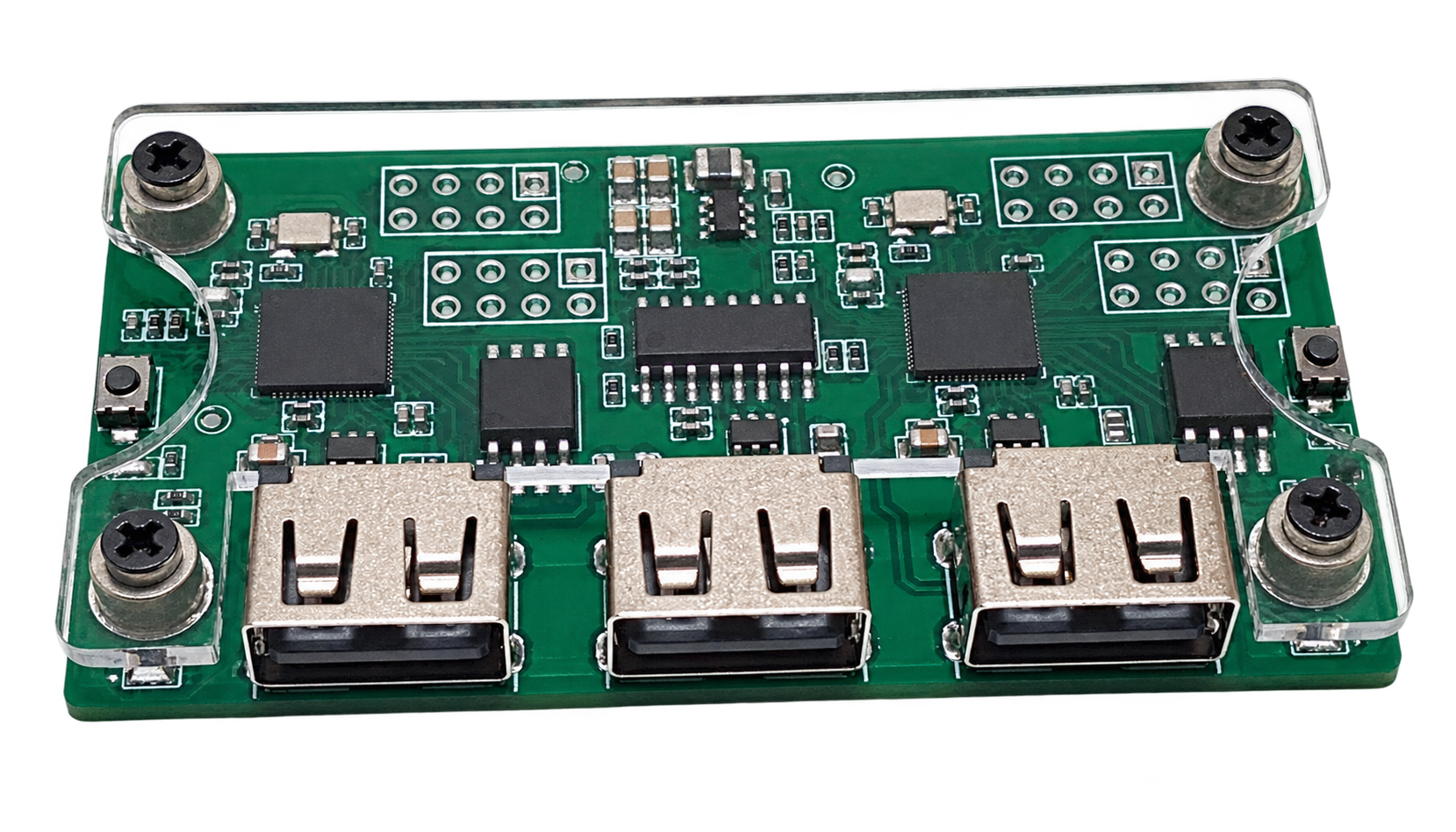
Compact USB hardware for direct panel command execution without unnecessary software layers.

  • Stable wired connection
  • Automatic panel detection
  • Built to work with Web Macro
Explore the device
0102
Together for maximum control. Separate for maximum freedom.

Web Macro handles profiles and configuration. MAKCU handles physical execution. Each product is purchased independently.

WEB MACRO FEATURES

Everything you need for consistent sprays

Choose your weapon, sight, attachments, and stance, then set your FOV and sensitivity — Web Macro prepares the right trajectory and sends it to MAKCU.

01

Complete weapon lineup

Ready profiles for every supported weapon. Switch your active weapon in just a couple of clicks while you play.

02

Sights, attachments, and stances

The trajectory adjusts to your selected sight, attachments, stance, FOV, and mouse sensitivity.

03

Instant MAKCU execution

Connect MAKCU to your computer or Android phone and activate a profile — the device executes the trajectory while you fire.

THREE STEPS

Three steps to a ready setup

Web Macro and MAKCU connect without complicated setup — choose a profile and start playing.

  1. 01
    Get access to Web Macro

    Choose a subscription term and instantly unlock the panel and its profile library.

  2. 02
    Connect MAKCU to Web Macro

    Connect MAKCU to your computer or Android phone — the panel will detect the device and prepare it automatically.

  3. 03
    Spray down enemies with confidence

    Choose your weapon, sight, and attachments — the active profile will run through MAKCU.

ANDROID / OTG How to connect MAKCU to Android A step-by-step setup for connecting your phone to the MAKCU command port.
01MAKCU port layout
MAKCU board showing its three USB ports 1 2 3
USB 1PC / console USB 2Android · COM USB 3Mouse
02Connection chain

The phone must act as the USB host: use a real OTG adapter and a data-capable cable.

03Chrome permission

Select CH343/USB and allow the browser to access the device.

  1. 01

    Connect MAKCU USB 1 to the gaming computer or console, then connect the mouse to USB 3.

  2. 02

    Connect the middle USB 2 (COM) port to the phone through a USB-C OTG adapter and a data-capable cable.

  3. 03

    Enable OTG in Android settings if your phone provides a separate OTG switch.

  4. 04

    Open the secure HTTPS Web Macro address in Chrome and sign in to your account.

  5. 05

    Press “Connect MAKCU”, select the CH343/USB device, and grant browser access.

Android cannot see the device? Test the OTG adapter with a USB drive and replace the cable: a charge-only cable will not work. WebUSB is also unavailable over plain HTTP.

PANEL ACCESS

Choose a term. Keep your settings.

Compare plans
POPULAR

WEB MACRO

7 DAYS

$3.49

≈ $0.50 / day

Choose
PAY ONCE

WEB MACRO

LIFETIME

$179.99

One-time payment

Choose
AQERO ECOSYSTEM

Web Macro works together with MAKCU

Already have MAKCU? Choose panel access. Need a device? Place a preorder and connect it once it arrives.

Choose your setup
FAQ

The essentials

Does anti-cheat detect the macro?

No. MAKCU controls the mouse itself at the hardware level, so it looks like normal hand movements to the game and anti-cheat. No injections, DLLs, or suspicious processes.

Can it be used with multiple devices?

Yes. You can use it from one computer, a second PC, or even Android. This is convenient when you need to switch quickly or reduce the risk during server checks—the main PC stays “clean.”

What are the advantages of Web Macro?

Ready profiles for supported weapons, precise adjustment for sights, attachments, stance, FOV, and sensitivity, quick binds, and separate X/Y strength controls. Presets save automatically and remain available through your account.